
The vision model
studio.
LAI is the self-hosted way to annotate datasets and train computer vision models — built for engineers, AGPL-3.0 licensed.
Built for
Open source, free forever
AGPL-3.0 licensed. No per-image fees, no seat pricing, no usage caps. Fork it, audit it, ship it.
Your data, your GPUs
Runs entirely self-hosted — images never leave your machine. Perfect for defense, industrial and medical workloads.
Plays well with the ecosystem
Built-in FiftyOne integration for dataset curation, plus open formats (COCO, ONNX) so it slots into the tools you already use.
// platform
Everything between data and a trained model.
Projects group datasets, models, evaluations and exports. One self-hosted stack, no glue code.
Datasets
Create, merge and augment datasets. Chunked uploads for images, videos and collections with tags, classes and class colors.
Assisted Annotation
SAM-powered segmentation in an image viewport with toolbar, minimap, zoom and COCO import.
Auto-Annotate
Run any trained model over a dataset to bootstrap labels, then refine with humans in the loop.
Training
Train popular vision models (e.g. YOLO, RT-DETR, RF-DETR) on your own GPUs — or bring your own architecture.
Evaluation
Confusion matrices, threshold explorer and side-by-side evaluation comparison to find failure modes.
Export & Inference
Export trained models and test inference directly in the studio before shipping.
// workflow
From install to edge deployment in 5 steps.
Install & run
Make sure Docker (NVIDIA Docker if you have a GPU) and Python are available, then install the LAI package, provision the studio stack and bring it up locally with pretrained weights ready to go.
$ pip install laivision
lai install-gui
lai up
lai download modelsCreate project & dataset
Spin up a project to group your work, then upload images, videos or COCO and define classes & class colors.
$ # studio: New project
# studio: New datasetAnnotate
Label with SAM-assisted tools or auto-annotate with a trained model.
$ # studio: AnnotateTrain & evaluate
Launch training on your own GPUs, then inspect confusion matrices, sweep thresholds and compare runs.
$ # studio: Train
# studio: EvaluateExport
Export trained checkpoints to ONNX with optimization options like FP16 for the edge.
$ # studio: Export → ONNX (FP16)// the studio
A look inside.
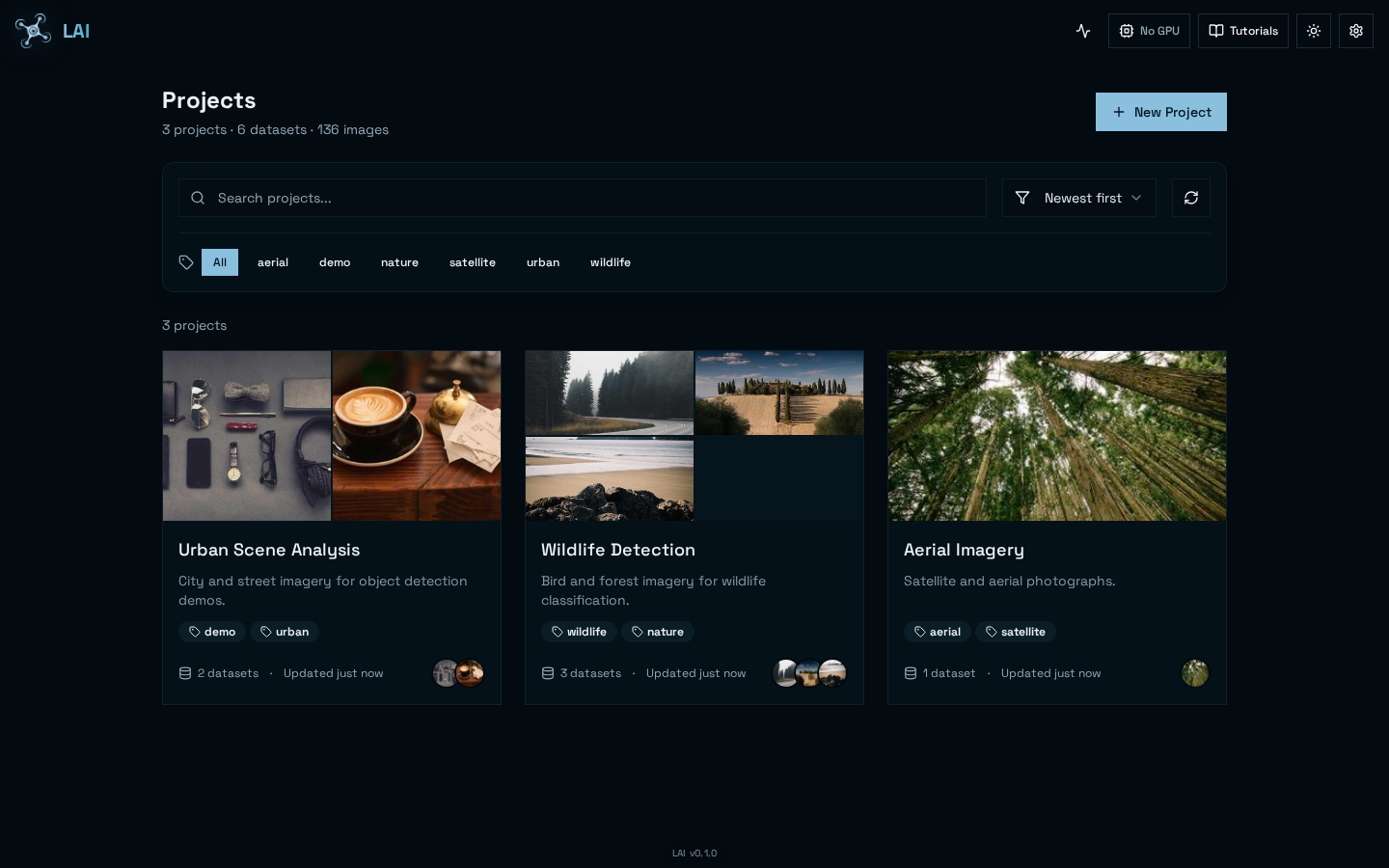
Organize every project
Organize your work into projects and quickly add new data without touching the current one — built for a single user juggling multiple problems.
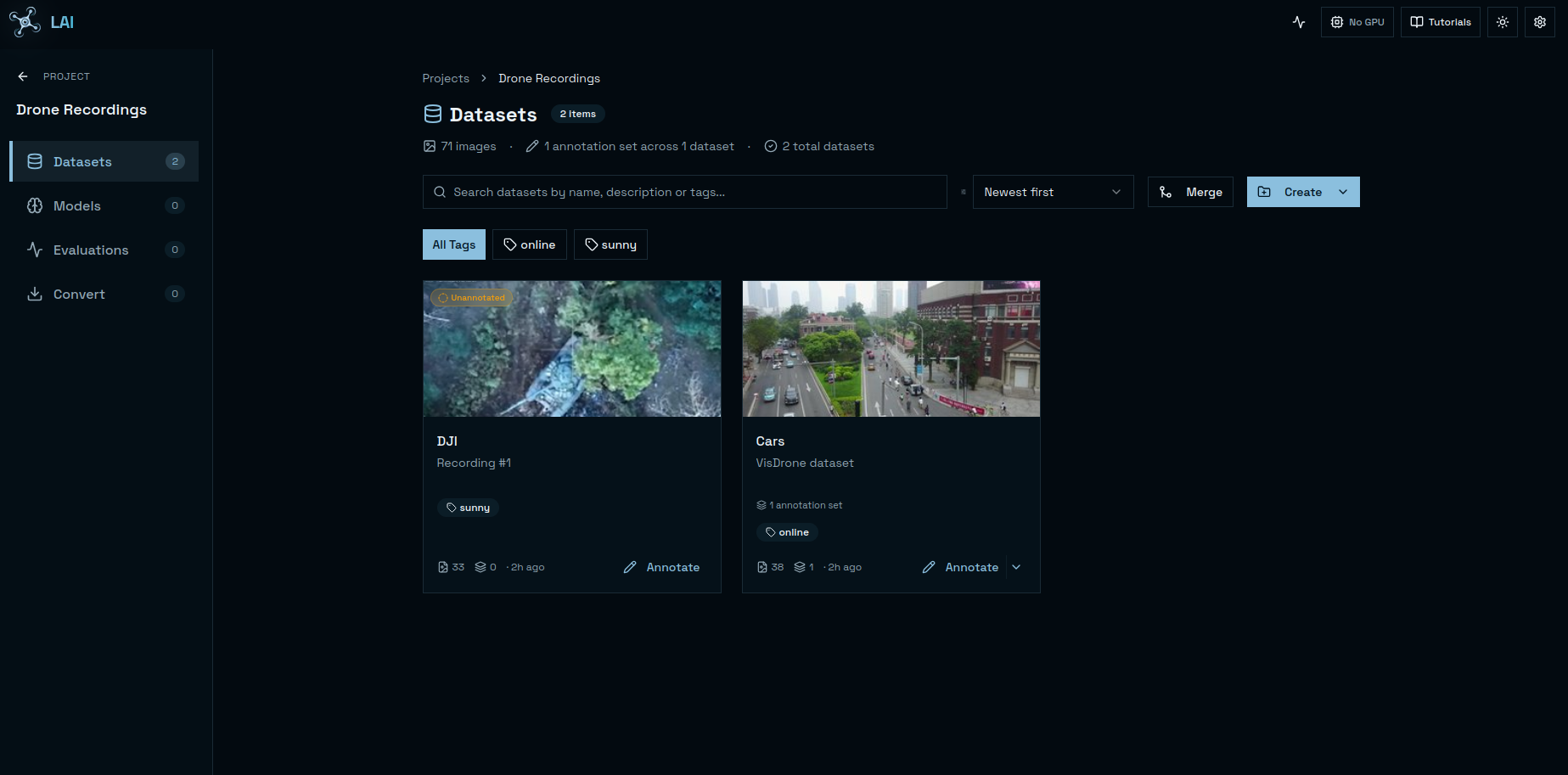
Curate your datasets
Import, version and inspect datasets in one place — splits, class distributions and sample previews always one click away.
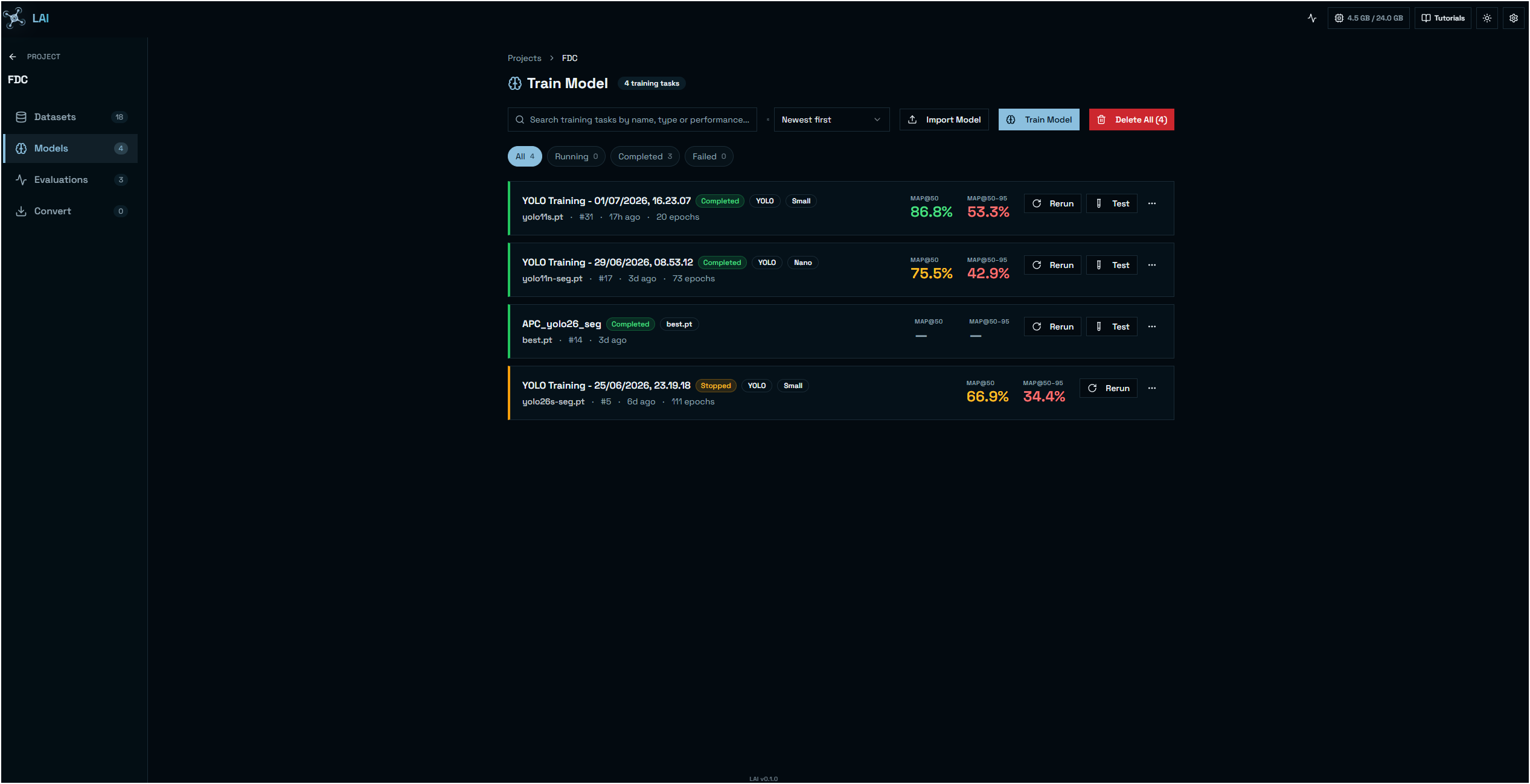
Train on your own GPUs
Configure popular vision models (e.g. YOLO, RT-DETR, RF-DETR) — or plug in your own — and watch live loss, mAP and GPU utilization stream into the studio.
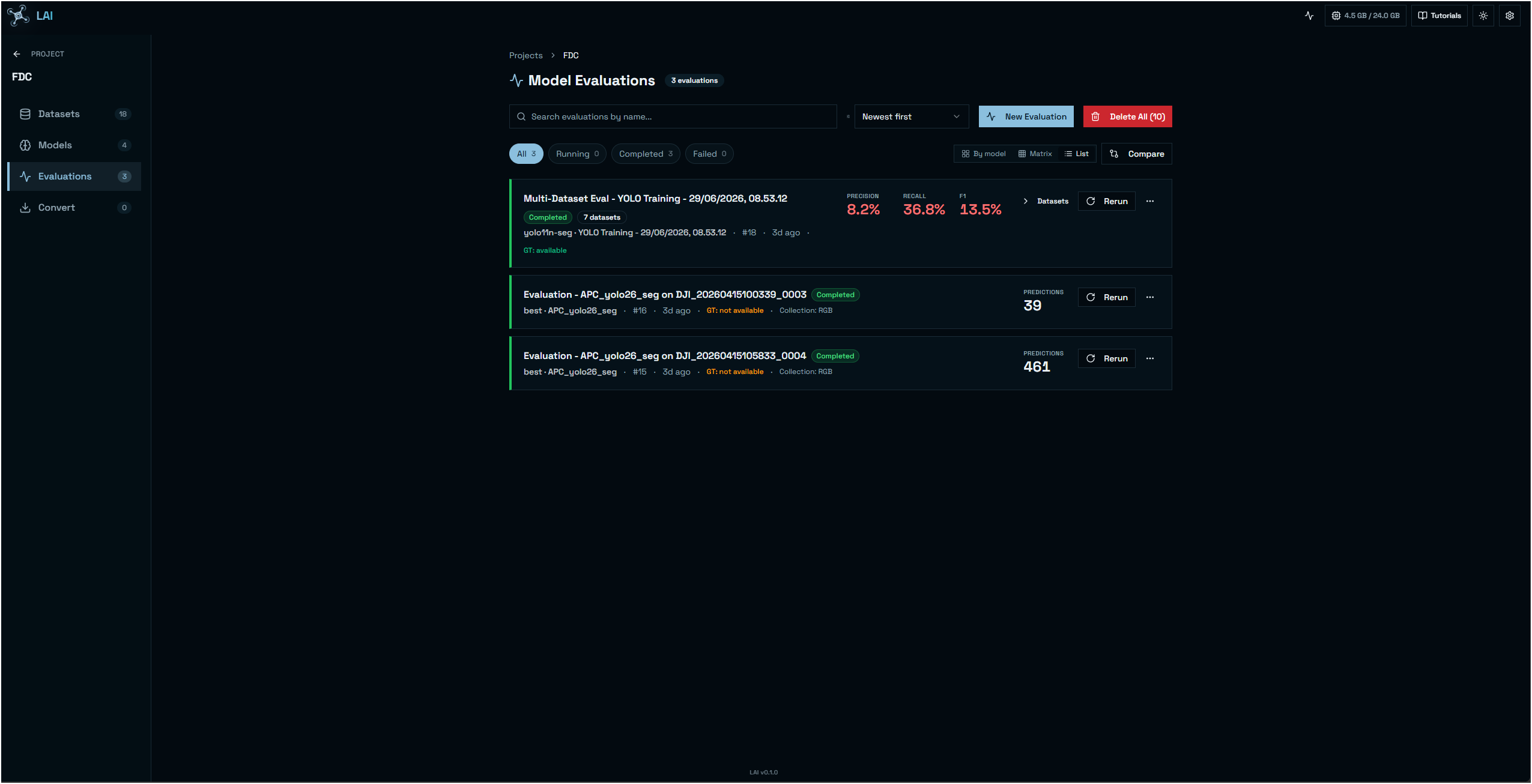
Evaluate and compare
Confusion matrices, threshold sweeps and side-by-side prediction vs ground-truth views make failure modes obvious.
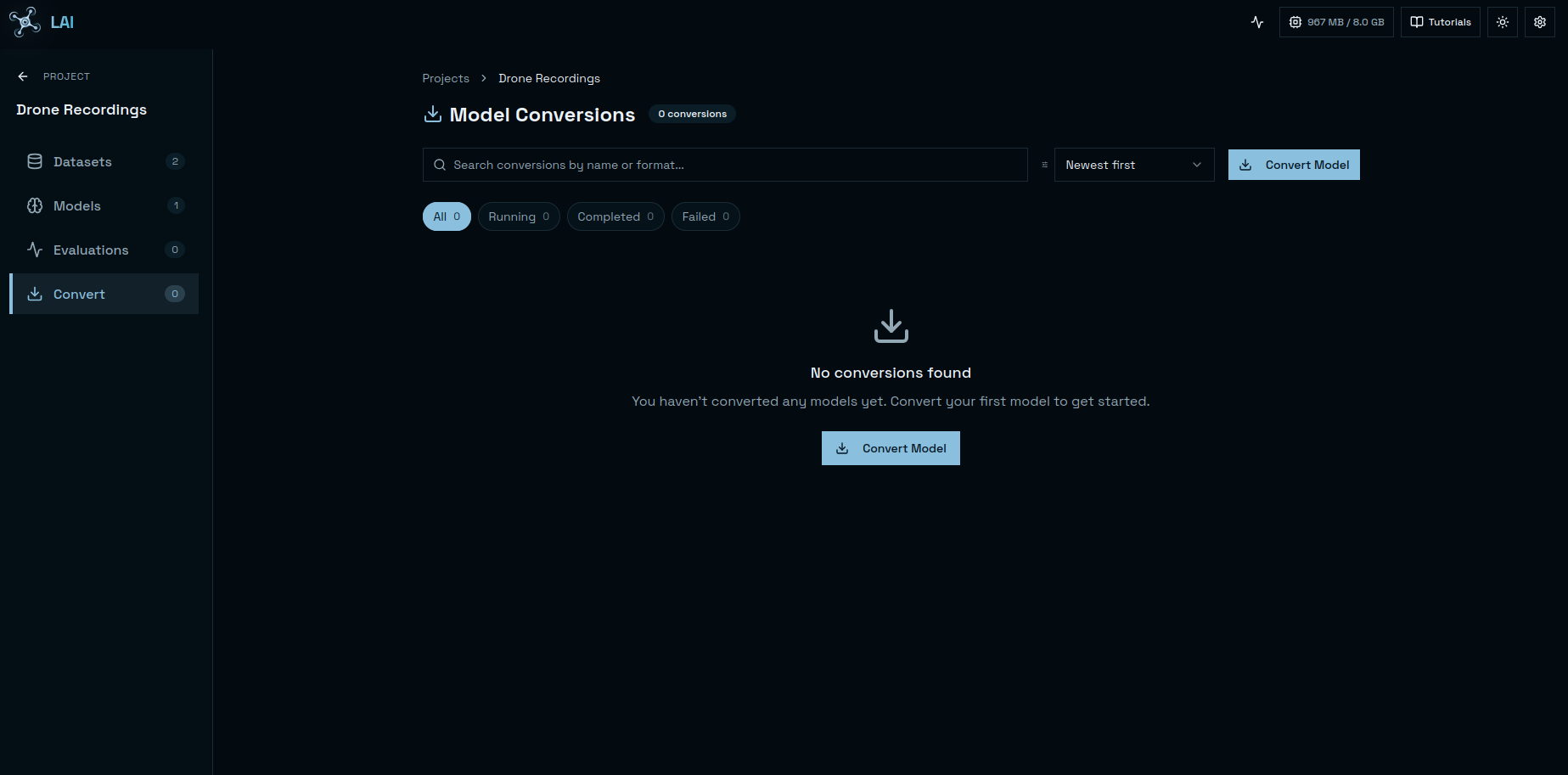
Export anywhere
Export trained checkpoints to ONNX with optimization options (e.g. FP16) and ship them straight to your edge or cloud runtime.
// tutorials
Watch and learn.
Short, focused walkthroughs of real workflows — from annotation to deploying on edge hardware.
From data to drone
A full walkthrough of training a custom YOLOv8 object detector with the LAI platform and DJI tools — from preparing the dataset and running training, to packaging the model and deploying it straight onto a DJI device.
Train your next vision model.
Open source, AGPL-3.0 licensed, and runs entirely on your own hardware.
Get in touch at lki@mmmi.sdu.dk